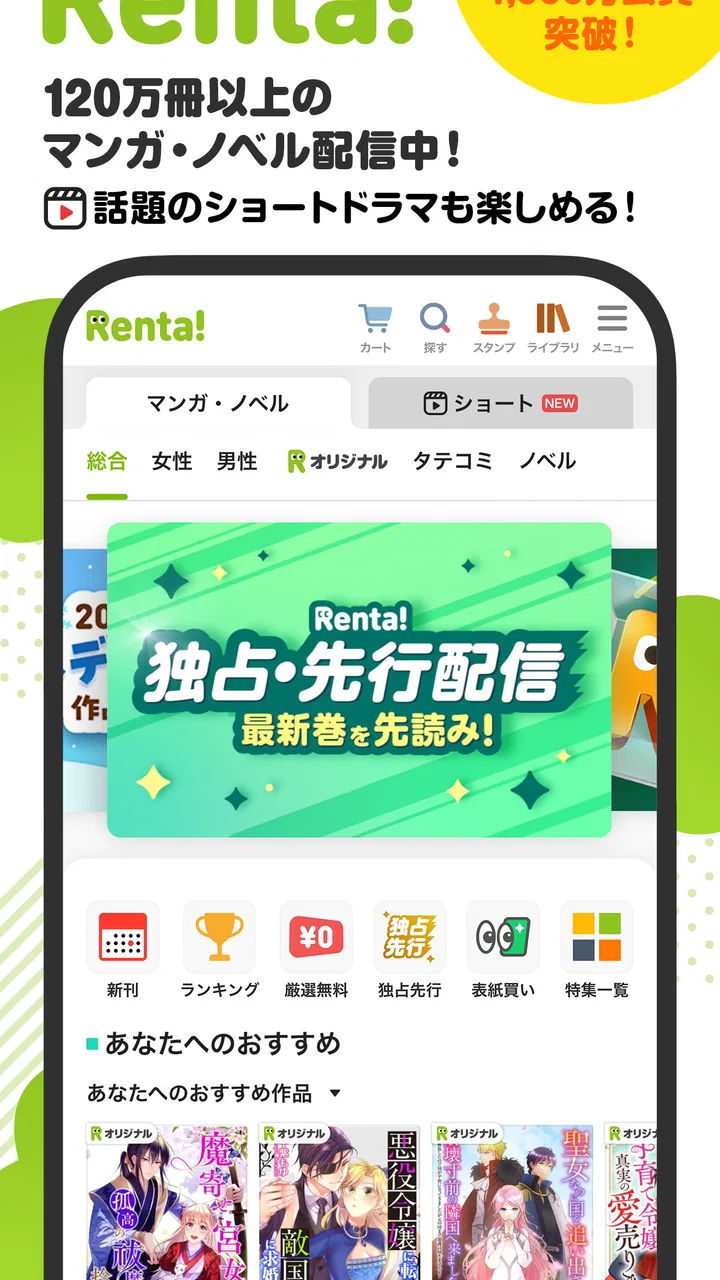
漫画 ”Renta”マンガ レンタル漫画アプリ
- 4.6
- Rating
- 1.00M
- Installs
- Free
- Price

 Analysis by App-foxy
For a first-time manga reader, 漫画 ”Renta” is best understood as a digital rental app rather than a conventional comic shelf. I found the idea appealing because it focuses on getting a title into your hands without making every reading decision feel permanent. The app is developed by 株式会社パピレス and belongs to the Comics category, with a free download and a Teen content rating.
The important distinction is that the app is not simply a place to browse random digital pages. Its central experience is choosing manga, arranging access to a title, and then reading it on a phone or tablet. That makes it particularly useful for someone who wants to try a series before committing to a larger purchase. It also suits readers who prefer a temporary reading plan, such as finishing a short story during a commute or a quiet weekend.
Getting from installation to a useful first read
I start by choosing one familiar title and tracing the whole path from finding it to opening a page, rather than browsing widely before I understand the rental choices. That quick test makes it easier to judge whether the Japanese menus and reading flow suit me, and it gives me a chance to prepare the book for offline reading before I rely on it away from home.
You May Also Like

 AccuWeather: Weather Radar
AccuWeather Review: A Quick, Clear Forecast for Everyday Decisions
For everyday plans, the best forecast is the one you can understand quickly. AccuWeather makes rain timing, radar, and local conditions easy to act on, with a few trade-offs.

 Hill Climb Racing
Why Hill Climb Racing Still Turns Crashes Into One More Run
A tiny car, a bumpy hill and one more upgrade: Hill Climb Racing keeps resurfacing because its simple chaos makes every near-miss feel personal.

 AliExpress - Shopping App
AliExpress Makes Global Shopping Feel Personal, but Shoppers Bear the Risk
AliExpress turns a global marketplace into a pocket-sized discovery engine. Its reach is useful, its shopping loop compelling, and its trade-offs easy to miss.

 Lords Mobile: Kingdom Wars
Lords Mobile Is a Kingdom-Building Routine, Not a Quick Match
A case-by-case verdict on the building, battles, device demands, and social commitments that make Lords Mobile rewarding for some players and exhausting for others.

 PDF Scanner app - TapScanner
TapScanner Makes Paperwork Easier to Capture, Check, and Share
TapScanner makes scanning with a phone feel less like a rescue operation and more like a dependable step in getting work done. Its capture tools are useful, though not flawless.

 Block Blast!
 Shows How Much a Puzzle Game Can Leave Out
A quiet grid game shows why puzzle players increasingly value instant clarity, repeatable skill and low-pressure play—and where the genre still needs to catch up.
More From Our News Desk
View All News


What to expect when you open it
The first impression is shaped by the Japanese presentation. The short store description is “漫画 ”Renta”,” and the app is clearly aimed at readers comfortable navigating a Japanese manga service. If you already read Japanese or recognize common manga-store terms, the purpose becomes clear quickly. If you do not, the language can be the biggest obstacle before you even reach the reading screen.
I would not install this expecting a broad English-language discovery experience. The app makes more sense for readers looking specifically for Japanese manga and for people who are willing to spend a little time interpreting menus, labels, and purchase or rental wording. That is not a small detail: a reader can enjoy the actual pages while still feeling uncertain about what access option they selected.
The app has been available since February 22, 2012, and its current version is 3.2.0. It supports devices running Android 6.0 or later. Those details suggest that the service has had a long time to establish its basic reading workflow, while the operating-system requirement remains accessible to many older Android devices. I would still make sure the phone has comfortable storage and a stable connection before starting a large reading session, especially if I planned to use offline reading.
Its popularity is substantial: the app has more than a million installs and an average rating of 4.6 from around 5.5 thousand ratings. I treat that as useful context rather than a guarantee. The rating indicates that many readers are satisfied with the experience, but it does not remove the language, catalog, and rental-model questions that matter to an individual user.
The first setup: keep the goal simple
My advice is to begin with one manga, not with an ambitious reading list. Install the app, open the catalog, and search for a title or author you already know. A familiar name makes it much easier to judge whether the navigation feels understandable and whether the available access choices suit you.
Because the app is free to install, you can examine the interface before deciding whether to spend anything. That is one of its practical strengths. The free download should not be confused with unlimited free reading, however. The app includes in-app purchases ranging from $0.49 to $69.99 per item, so I would pause at every payment screen and read the wording carefully before confirming.
This is also where I would recommend checking the difference between a rental and a purchase whenever the interface presents more than one option. A rental can be the better value for a one-time read, while ownership may make more sense for a favorite series that you expect to revisit. The correct choice depends on your reading habits, not simply on the lowest number shown first.
A useful setup habit is to decide where you will read before selecting a title. If you expect to read at home, streaming or ordinary online access may be enough. If you want to read on a train, in a waiting room, or somewhere with unreliable reception, choose a title and prepare the download while you still have a dependable connection. The app’s offline reading capability is one of its most meaningful practical benefits, but it works best when treated as a preparation step rather than an emergency solution.
Your first successful action
The first meaningful success is not merely opening the app. It is finding a manga you actually want, selecting the appropriate access method, and opening a page without uncertainty about what happens next. I would use a short, familiar title for this first test. That lets you concentrate on the workflow instead of wondering whether a complicated series is worth the effort.
Once the book is available, move through a few pages and check the reading comfort for yourself. Manga depends heavily on page order, panel size, and the way a reader holds the device. A phone can be convenient for quick sessions, but a tablet usually gives speech bubbles and detailed artwork more breathing room. If a page feels cramped, changing the device may help more than changing the app.
After confirming that the book opens properly, download it before leaving Wi-Fi. This is the workflow I would recommend to anyone who values offline reading: select the title, complete the access step, open it once, and then prepare the pages while connected. Doing this in advance avoids turning a commute into a troubleshooting session.
Offline access is especially helpful for readers who use manga as a small daily habit. You might download a volume in the evening, read a few chapters during a morning trip, and return to the next section later without depending on a signal. That is a more realistic use case than treating the app as a full replacement for every kind of digital library.
Where new users may hesitate
The rental concept is the first likely source of confusion. In a normal ebook store, readers often think in terms of buying a file and keeping it available. Here, the central decision is whether temporary access is enough. Before paying, I would ask myself a simple question: am I trying to finish this story once, or do I want to build a permanent collection?
The second point of friction is the difference between downloading the app and obtaining a readable book. Since the app itself is free, a new user may reasonably assume that the first title will also be free. That is not a safe assumption. Look at the title’s access wording and the purchase confirmation before proceeding, particularly when several price choices appear close together.
Currency and language can add another layer of uncertainty. If Japanese is not your strongest reading language, do not rush through a screen simply because the cover is familiar. Take a moment to identify whether you are selecting a preview, a rental, or another form of access. I would rather spend an extra minute checking than discover later that I chose the wrong option for a long series.
Another practical issue is screen size. Manga pages can contain small text, dense dialogue, and artwork that loses impact when reduced to a narrow display. The app may be perfectly functional while the phone is still the limiting factor. For short chapters, a phone is convenient; for detailed art or long reading sessions, a larger screen is the more comfortable alternative.
How it compares with ordinary manga alternatives
Compared with a standard digital bookstore, this app’s strongest difference is the rental-first approach. A bookstore model is usually easier for readers who want a lasting collection and who dislike thinking about access periods. 漫画 ”Renta” is more attractive when you want to control the cost of casual reading and do not need every title to become a permanent purchase.
Compared with a subscription service, the app can feel more deliberate. Subscription reading is convenient when you consume a large amount of content every month and the catalog matches your interests. A rental service is potentially better for a reader who wants selected titles without adding another recurring commitment. The trade-off is that you need to make individual choices rather than simply opening whatever the subscription includes.
Compared with physical manga, the app wins on portability and immediate access to downloaded books. It also avoids carrying several volumes. Physical books remain better for readers who value ownership as an object, dislike reading on a backlit screen, or want to lend volumes easily. I would not recommend replacing a physical collection with this app if the permanent shelf is part of the pleasure.
There is also a difference from general-purpose comic readers. A broad reader may be better if you already have files from several sources and want one neutral place to organize them. This app is more focused: it is for finding and reading manga through its own rental ecosystem. That focus is convenient when it matches your needs, but it is less appealing if you mainly want a universal library for unrelated comic files.
Small habits that make the service easier
My first useful tip is to test the complete path with one inexpensive or familiar title before planning a large purchase. The point is not simply to save money. It helps you understand how the app presents access choices, how comfortable the reader feels, and whether the Japanese interface is manageable for you.
My second tip is to separate discovery from payment. Browse first, make a short list, and only then choose what to access. This reduces impulse decisions caused by attractive covers or recommendations. It is particularly valuable when a series has many volumes and the individual choices can add up quickly.
My third tip is to prepare offline reading as part of your routine. Do not wait until you are already without a connection. Download the title at home, open it once, and confirm that the reading experience is ready before travelling. This simple sequence turns the app’s offline capability into a dependable habit.
A fourth insight is to match the rental model to the length of your reading session. A short story, a title you are sampling, or a book for a single trip is a natural fit. A manga you expect to reread repeatedly deserves closer attention before you choose temporary access. The cheapest immediate option is not always the best long-term option when rereading matters.
Finally, use a larger device when the artwork deserves it. This sounds obvious, but it changes the experience more than many interface adjustments. Detailed backgrounds, small captions, and expressive panel layouts are easier to appreciate when the page is not compressed into a small phone screen.
Who will enjoy it most
I think the app is a good match for Japanese-manga readers who want a focused rental service, value offline reading, and prefer trying titles without automatically building a permanent collection. It is also useful for commuters, travellers, and casual readers who want to carry books without carrying physical volumes.
It may also suit someone exploring a genre for the first time. Renting can lower the emotional commitment of choosing an unfamiliar series, provided the access terms are understood. That makes the app a practical testing ground for readers who would rather sample several directions than buy every first volume outright.
The Teen content rating is another reason parents and younger readers should think about suitability title by title rather than assuming every manga has the same tone. The rating gives a general age signal, but manga collections can cover very different subjects and levels of intensity. I would still check the individual book and make a personal judgement.
I would skip this app if you need a polished English interface, want a universal comic library, or strongly prefer permanent ownership. I would also hesitate if you dislike reading on a mobile device or if your main goal is collecting books rather than finishing them. In those cases, a conventional ebook store, a subscription platform, or physical manga may fit better.
The next step after your first book
Once the first title works, the best next step is to build a modest reading queue based on actual habits. Notice whether you finish rented books quickly, whether offline reading becomes important, and whether you return to completed volumes. Those answers will tell you more about the right access choice than any general recommendation.
If you read occasionally, keep the service as a flexible source for selected manga. If you read constantly, compare the cumulative cost of individual access with other ways of reading before committing to a large queue. The app’s purchase range, from $0.49 to $69.99 per item, makes that planning especially important for readers who may select many volumes at once.
The developer, 株式会社パピレス, has built an app with a clear purpose: make manga available through a rental-oriented digital reading experience. In my use, that purpose is more convincing when I treat the app as a convenient route to specific books, not as an all-purpose replacement for every manga format.
My recommendation is to start small, verify the access choice, and prepare one book for offline reading. If Japanese navigation feels comfortable and temporary access matches the way you read, 漫画 ”Renta” can be a practical companion for focused manga sessions. If ownership, English-first usability, or a broad mixed-library experience matters more, another reading option will probably leave you happier.
FAQs for 漫画 ”Renta”マンガ レンタル漫画アプリ
01What is 漫画 ”Renta” and how does it work?
漫画 ”Renta” is a manga rental app that allows users to rent and read a wide variety of manga titles on their Android and iOS devices. The app provides a flexible rental system where you can choose to rent manga for a specified period. Once the rental period expires, access to the rented manga is removed. This offers a cost-effective way to enjoy manga without purchasing each title.
02Is 漫画 ”Renta” available in multiple languages?
Currently, 漫画 ”Renta” primarily offers manga in Japanese. However, some titles may have English translations available. It's important to check the language options for each manga before renting if you're not proficient in Japanese. The app interface itself may also have language settings to assist international users.
03How can I purchase or rent manga on 漫画 ”Renta”?
To rent manga on 漫画 ”Renta”, you first need to create an account and log in. You can browse the available titles and select the ones you wish to rent. Payments can be made using various methods, including credit cards and other mobile payment services. Once rented, the manga will be available to read for the duration of your rental period.
04What devices are compatible with 漫画 ”Renta”?
漫画 ”Renta” is compatible with both Android and iOS devices. It can be downloaded from the Google Play Store for Android users and the Apple App Store for iOS users. Make sure your device meets the app's system requirements for optimal performance. Additionally, keeping the app updated ensures you have the latest features and improvements.
05Are there any free manga options available on 漫画 ”Renta”?
Yes, 漫画 ”Renta” occasionally offers free manga titles or promotional chapters for users to enjoy without any cost. These promotions are often limited-time offers and may vary, so it's a good idea to regularly check the app for any available free content. This is a great way to explore new manga genres and authors without financial commitment.
Pros
- Wide variety of manga genres available.
- User-friendly interface with easy navigation.
- Option to preview before renting manga.
- Frequent updates with new releases.
- Offline reading mode available.
Cons
- Limited free content available.
- Some manga have rental time limits.
- Ads can be intrusive at times.
- Account required for most features.
- No option for permanent purchase.

漫画 ”Renta”マンガ レンタル漫画アプリ
Gallery